Tally configuration
Set Tally install location, ODBC port, and optional ledger group codes for balance sheet generation.
Prerequisites
- Tally installed on the same machine or reachable via ODBC
- Installation steps for plugin and ODBC completed
Steps
Step 1: Open Tally settings
- Go to Configuration → Tally.
- Review Tally Configuration page header.
Step 2: Set path and port
- Enter Tally install location (for example
C:\Program Files\TallyPrime). - Set ODBC port to 9000 (Tally default).
- Click Save.
Step 3: Code list (optional)
Download the code list template from this page to assign optional group codes in Tally.
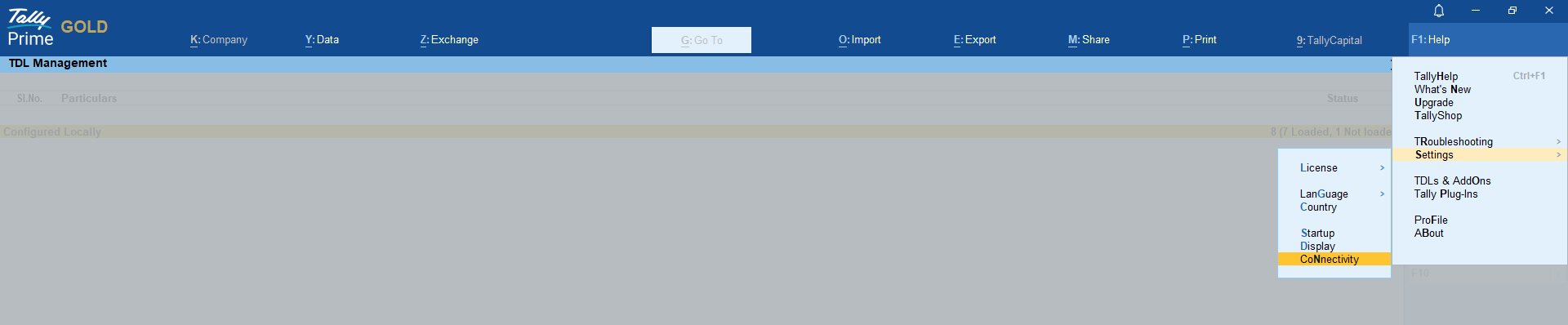
Screenshot: Tally ODBC — enable Client/Server mode Both on port 9000
Related links
Troubleshooting
| Symptom | Likely cause | Resolution |
|---|---|---|
| Port 9000 connection error | ODBC disabled | Enable in Tally connectivity settings; restart Tally |
| Wrong Tally path | Multiple Tally versions | Point to active TallyPrime folder |
See also Common issues.
Need more help? Contact support@finautoindia.com. Do not share API keys or PAN in email.