Balance sheet
Generate Schedule III–ready balance sheets for the selected company and period, locally or via cloud processing.
Prerequisites
- Trial balance imported and ledgers coded
- Service configuration valid (Service settings)
- Company CA profile assigned if required for salutation
Steps
Step 1: Open balance sheet
- From Company grid links or Reports → Balance Sheet, open the balance sheet screen.
- Select period (annual, quarterly, or half-yearly if enabled).
Step 2: Generate
- Choose local or cloud generation if prompted (cloud recommended for large files — see service metadata).
- Click generate and wait for completion.
- Download or open the Excel output.
Unclassified ledgers
Generation fails if ledgers with balances lack codes. Fix codes in Ledgers or Tally before retrying.
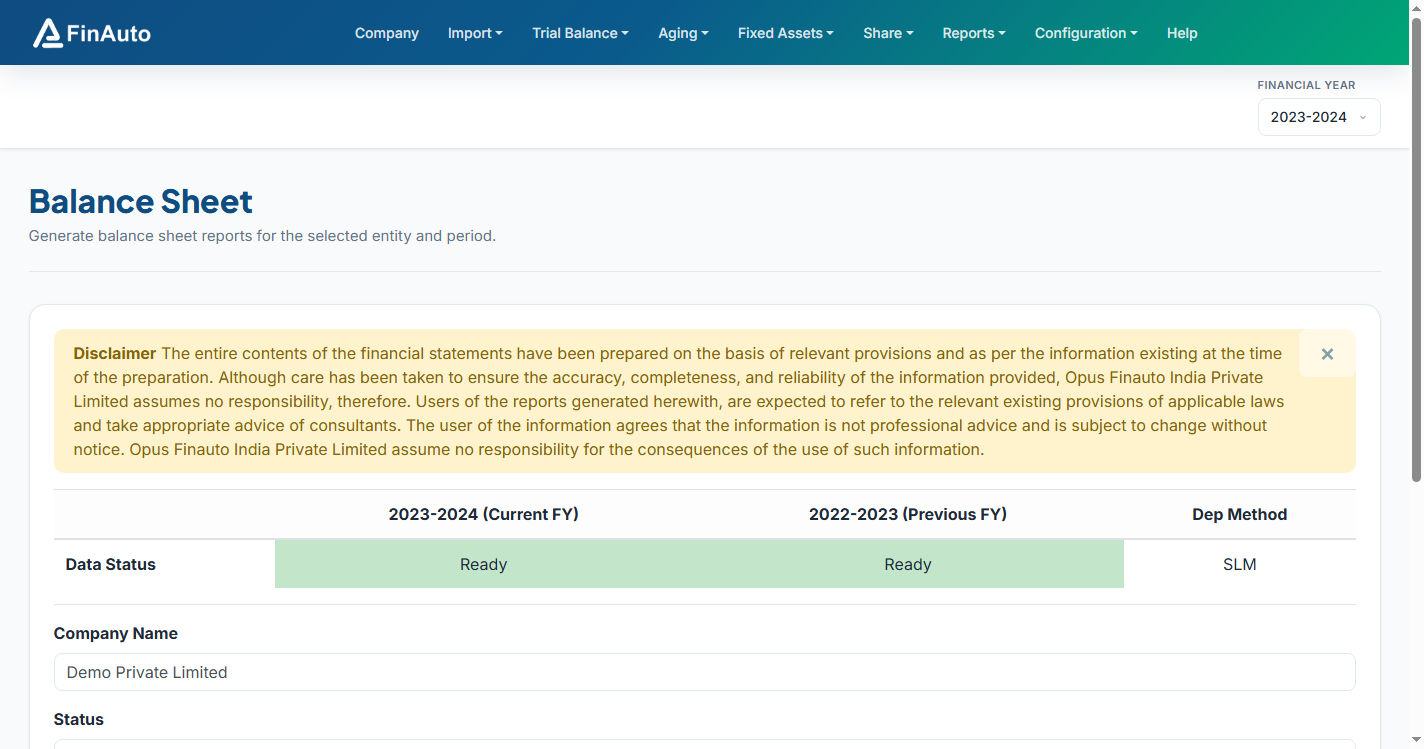
Screenshot: FinAuto Client v9.0 — Balance sheet generation
Related links
Troubleshooting
| Symptom | Likely cause | Resolution |
|---|---|---|
| Unclassified ledger error | Missing codes | Auto-code or assign codes |
| Cloud generation slow | Large dataset | Expected; use cloud mode for support visibility |
| Rounding / denomination | Excel MASTER SHEET | Use Convert To dropdown in exported MASTER SHEET (see FAQ) |
See also Common issues.
Need more help? Contact support@finautoindia.com. Do not share API keys or PAN in email.