Financial years
View financial years linked to a company, lock completed periods to prevent edits, and export selected FY packages.
Prerequisites
- Company selected in the top bar
- Data imported for the FY you want to lock or export
Steps
Step 1: Open FY management
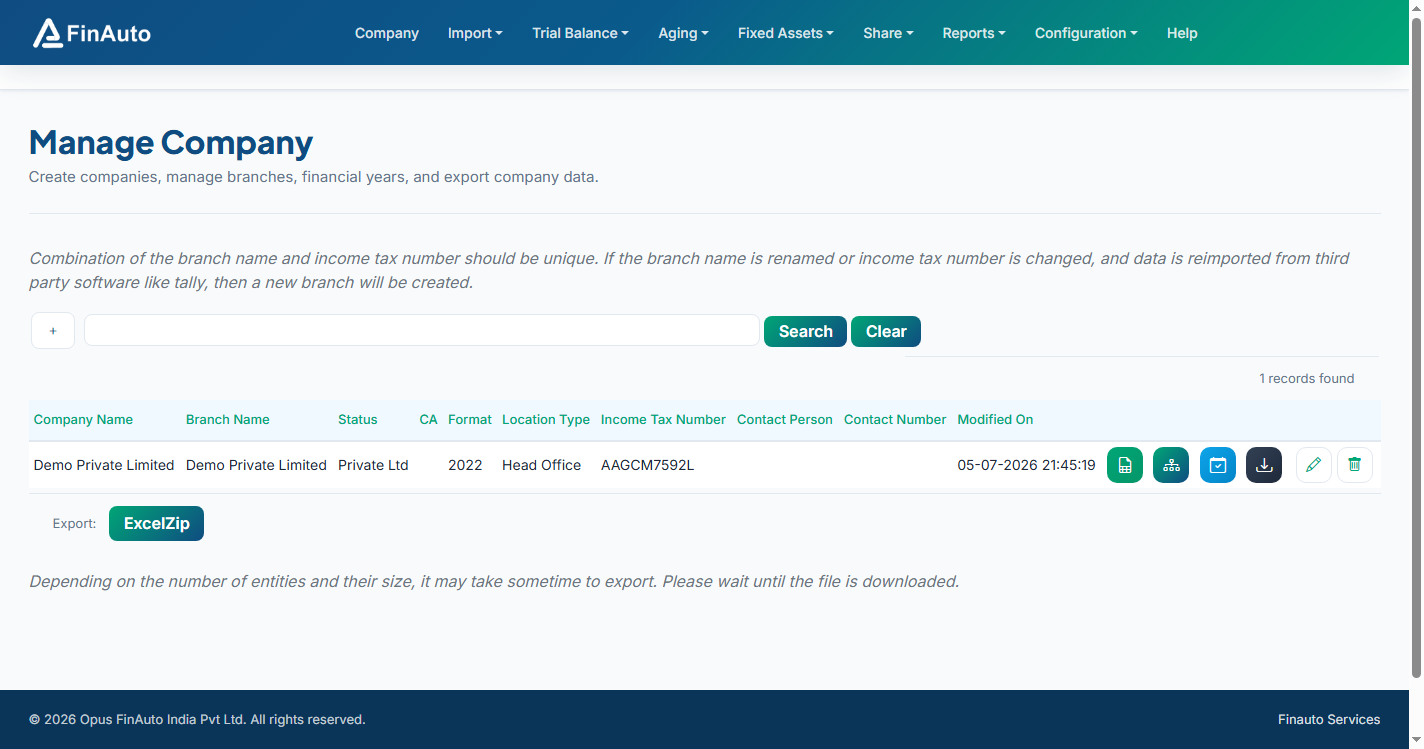
- Go to Company → Manage Companies.
- Click Manage FY data () on the company row.
Step 2: Lock or unlock a year
- Review the FY grid (years sync from imported data and master FY list).
- Click Lock on a row to prevent further edits for that company-year.
- Click Unlock to allow edits again.
Locking a financial year
Locked FY data cannot be changed in grids until unlocked. Lock only after you have verified imports and adjustments.
Step 3: Export selected FY
- Select one or more FY rows using the checkboxes.
- Choose Export Selected FY from the grid action bar.
- Wait for the download to complete.
Related links
Troubleshooting
| Symptom | Likely cause | Resolution |
|---|---|---|
| FY not listed | No data imported for that year | Import Tally or Excel data for the FY |
| Cannot edit grids | FY is locked | Unlock from this screen if changes are required |
| Export produces empty file | No rows selected | Select at least one FY before export |
See also Common issues.
Need more help? Contact support@finautoindia.com. Do not share API keys or PAN in email.