FinAuto Client at a glance
Desktop app for CAs and finance teams: import trial balances, maintain registers, and produce Schedule III–ready statements. Every screen has a Help link that opens the matching topic in this site.
How the app is organised
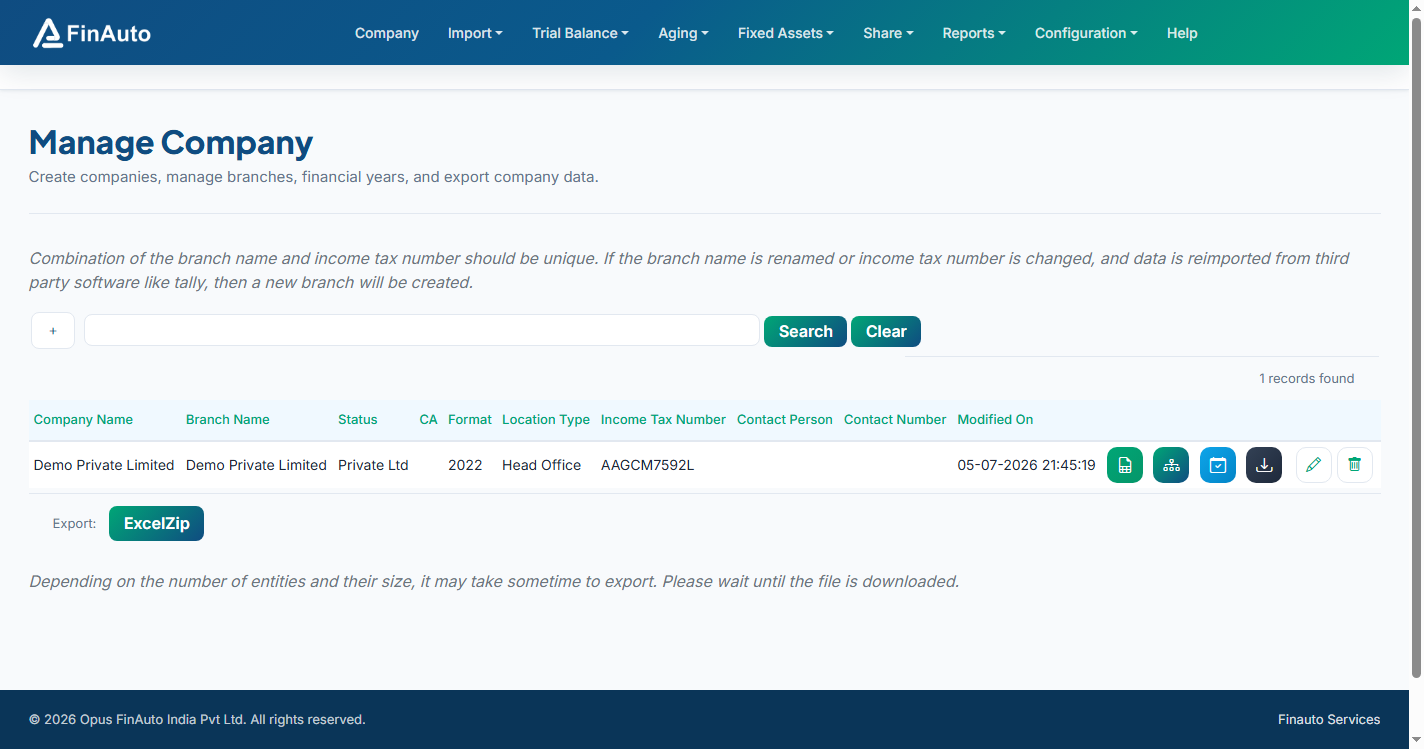
The top menu in FinAuto Client matches the tabs in this documentation:
| Menu | What you do there |
|---|---|
| Company | Create companies, branches, financial years, export data |
| Import | Load trial balance, stock, assets, and vouchers from Excel or Tally |
| Trial Balance | Edit ledgers and stock after import |
| Aging | Trade receivables / payables and Excel aging reports |
| Fixed Assets | Register, shifts, depreciation schedules |
| Share | Authorised / issued capital, holders, transfers |
| Reports | Balance sheet and custom report layouts |
| Configuration | Service API key, Tally ODBC, coding rules, updates |
Recommended first-day path
- Install the client and connect Service.
- Create a company with PAN and depreciation method.
- Import from Excel or from Tally.
- Review Ledgers and run Balance sheet.
Cloud vs local
- Cloud mode (Configuration → Service): faster report generation and remote support when enabled.
- Local mode: all data stays on your PC; suitable for air-gapped or offline work.
Troubleshooting
See Common issues or email support@finautoindia.com. Never send API keys or PAN in email.