Fixed asset register
Import and maintain the Property, Plant & Equipment (PPE) register used for depreciation schedules and financial statement notes.
Prerequisites
- Company created with depreciation method (SLM or WDV) set on Manage company
- Audited opening WDV values for first-time import
Steps
Step 1: Open register
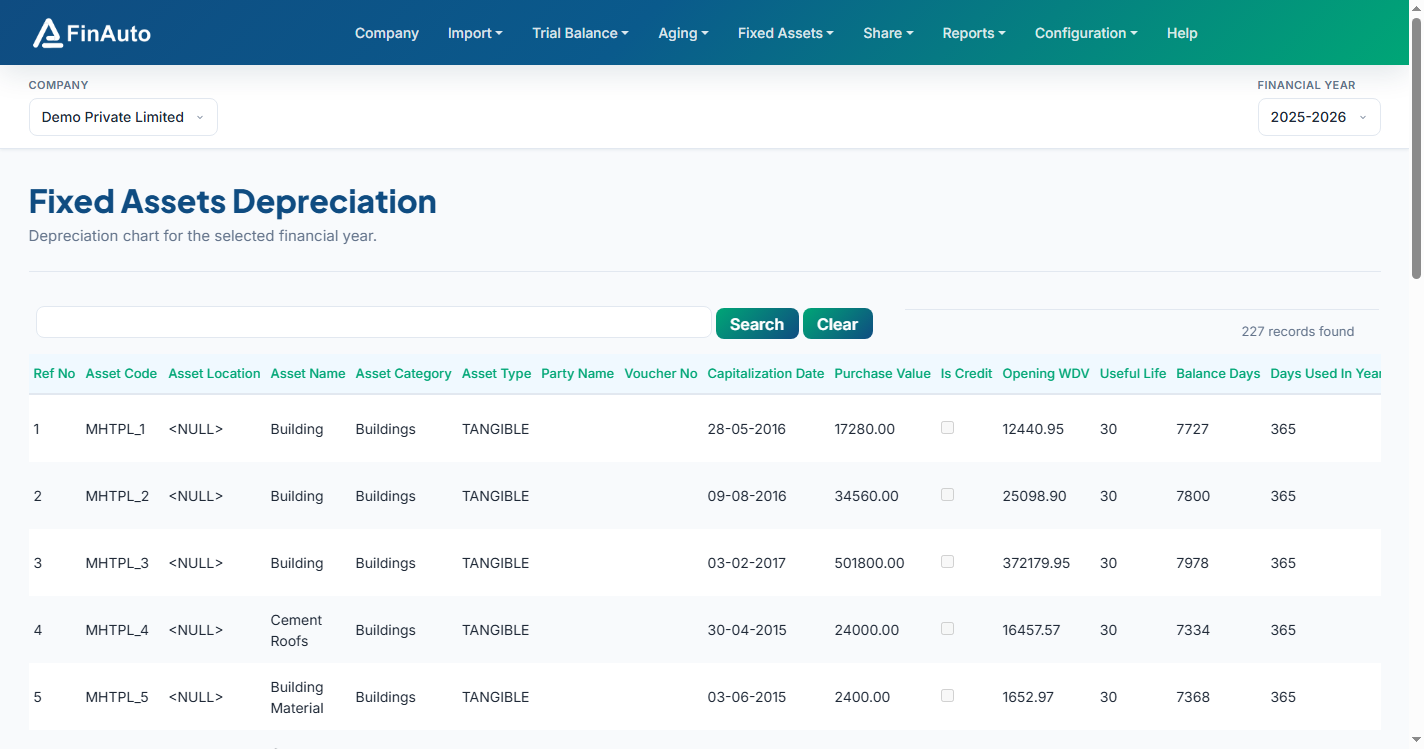
- Go to Fixed Assets → Register.
- Review existing asset rows for the selected company.
Step 2: Import register (first time)
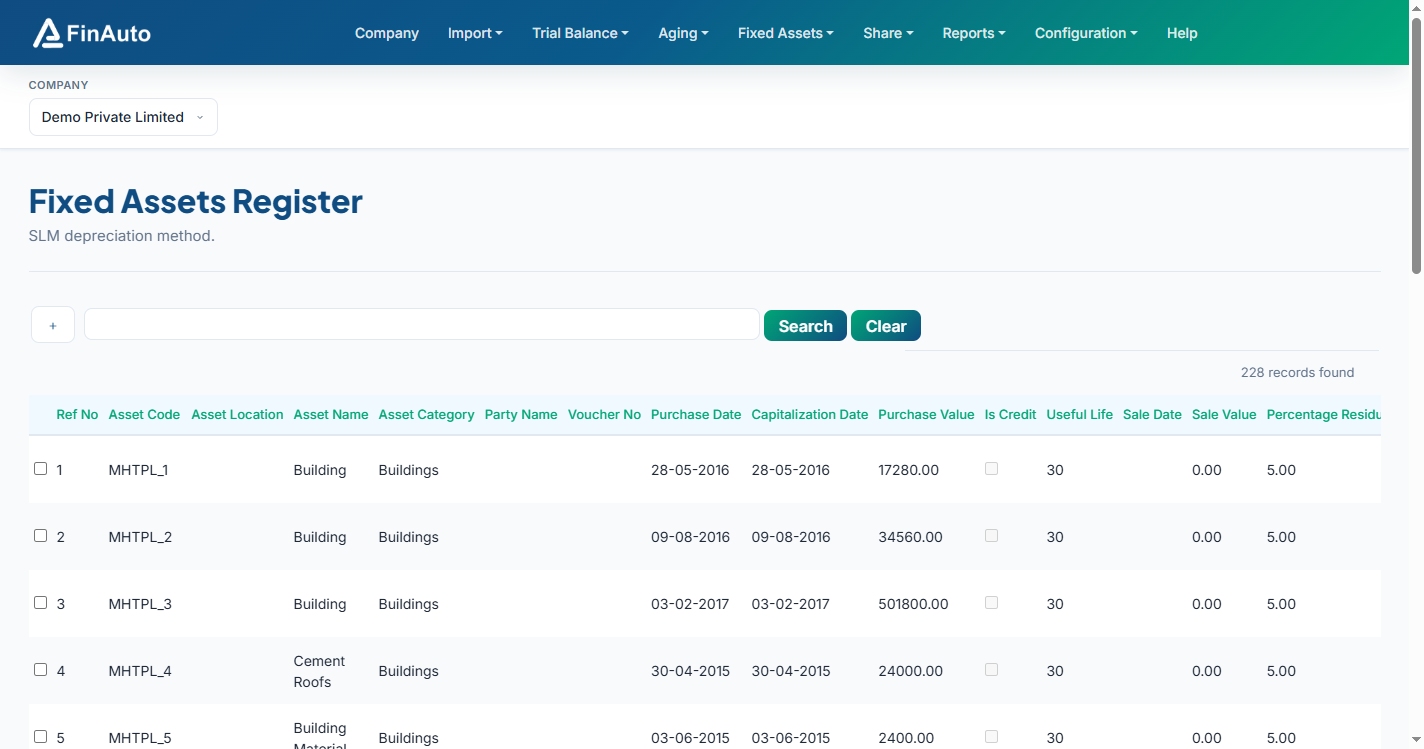
- Scroll to the bottom and download the Excel template.
- Enter asset-wise data including opening WDV per audited accounts.
- Upload via Import from Excel.
Opening WDV
On first import, enter the last written down value (WDV) for each asset exactly as per audited financials. Incorrect opening WDV affects all future depreciation.
Step 3: Year-on-year additions
- Tally users: Import yearly additions via Import from Tally.
- Excel users: Add new rows in the same template and re-import.
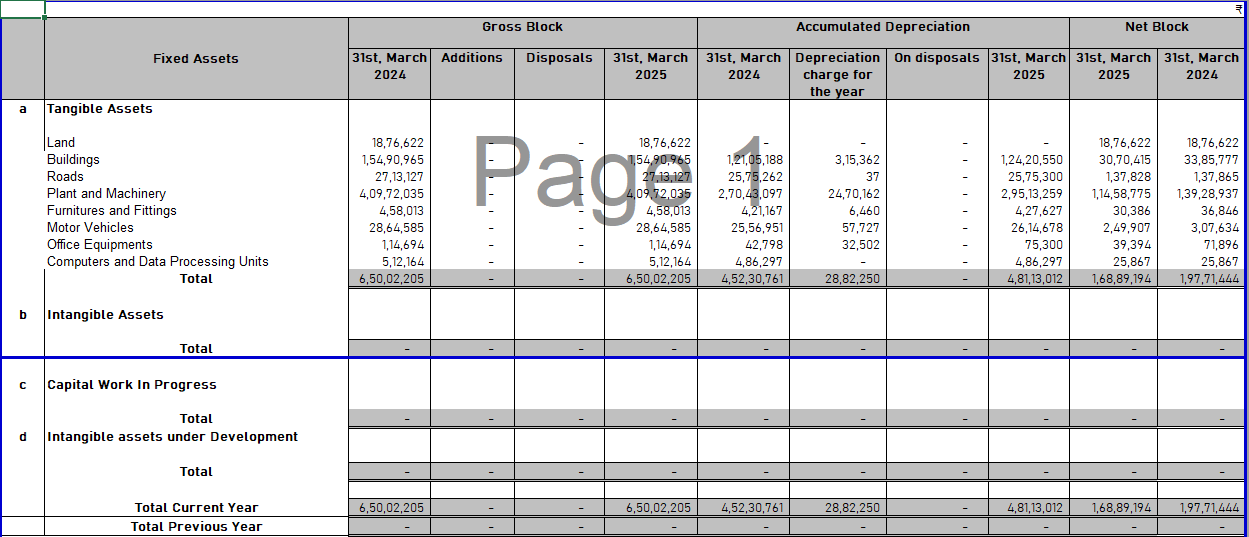
The register plots automatically in generated financial statements (PPE notes with opening, additions, depreciation, closing WDV).
Related links
Troubleshooting
| Symptom | Likely cause | Resolution |
|---|---|---|
| Import validation errors | Template columns missing | Re-download template from Register page |
| Depreciation method change warning | Existing assets in register | Allow time for recalculation (shown when editing company) |
| PPE notes blank in BS | No register imported | Complete Step 2 import |
See also Common issues.
Need more help? Contact support@finautoindia.com. Do not share API keys or PAN in email.