Export company data
Download a full company data package (all financial years) for backup, migration, or support handoff.
Prerequisites
- Company exists with imported data
- Stable network connection (large entities may take several minutes)
Steps
Step 1: Start export
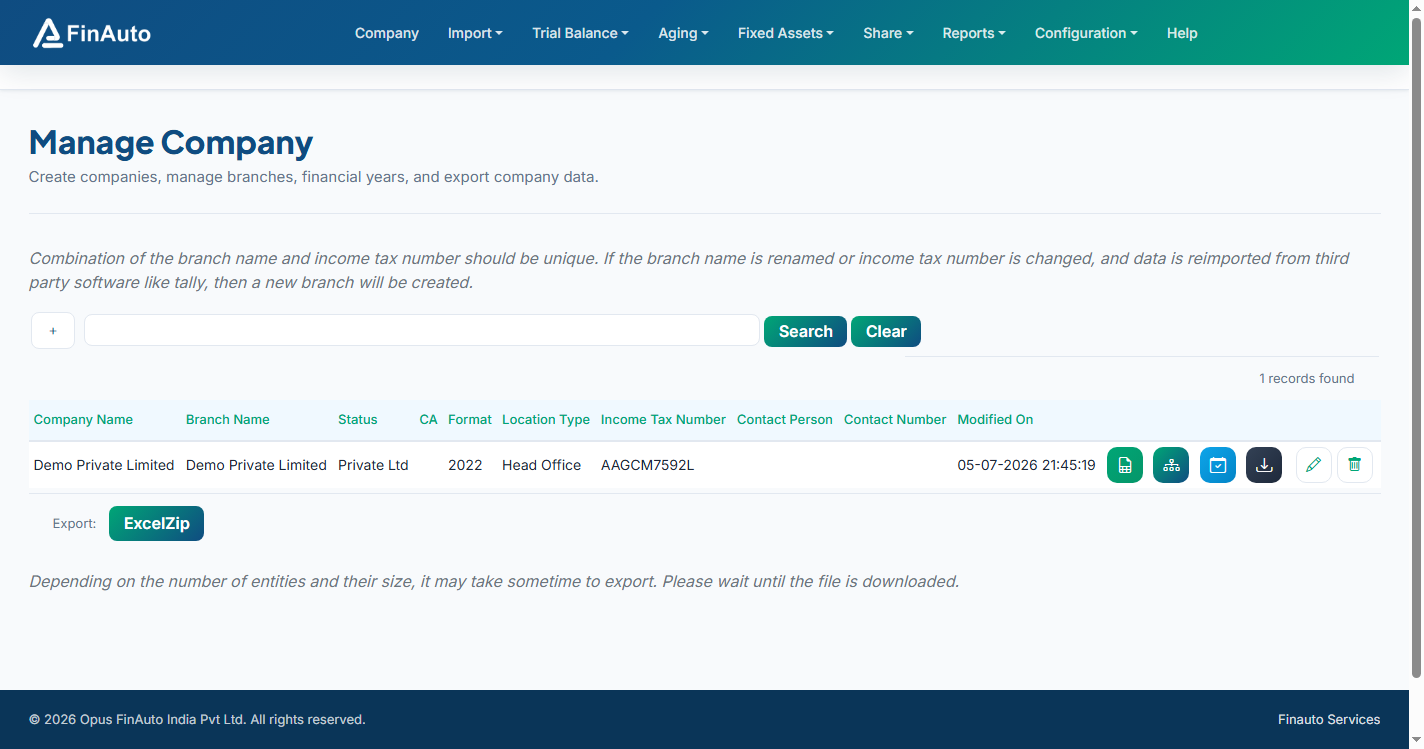
- Go to Company → Manage Companies.
- Click Export Company Data () on the company row.
- Wait on the page until the browser download starts.
Export duration
Depending on entity count and data volume, export may take noticeable time. Do not close the client until the file downloads.
Step 2: Store the package
- Save the downloaded archive in a secure location.
- Use FY-specific export from Financial years when you only need selected years.
Related links
Troubleshooting
| Symptom | Likely cause | Resolution |
|---|---|---|
| Download never starts | Session timeout or server error | Retry; check service connection in Service settings |
| Very slow export | Large multi-year dataset | Expected; wait or export selected FY only |
| Invalid company error | Stale bookmark | Open export from the company grid again |
See also Common issues.
Need more help? Contact support@finautoindia.com. Do not share API keys or PAN in email.